- Open a chat with any character
- Select the inference model button — the sparkle icon
- Choose Explore All Models
- Pick from the models available on your tier
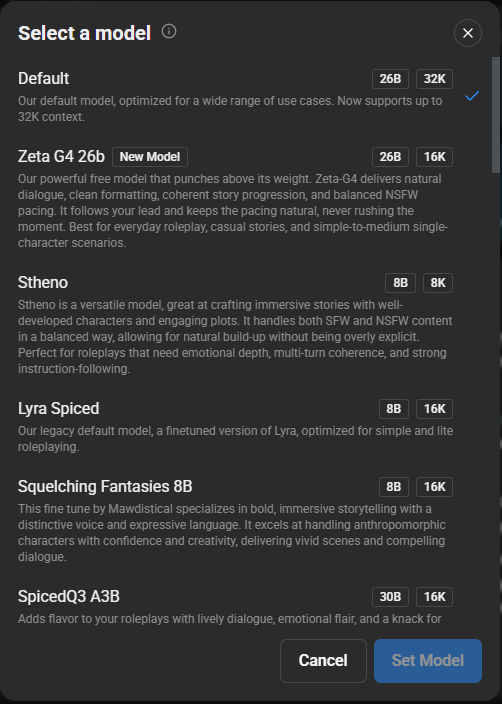
Each model has a short description of what it's best at. It's worth experimenting — models differ a lot in writing style, how well they follow instructions, how explicit they'll go, and how prone they are to repetition.
About the Default model. The Default option rotates between several models to give you variety. This means behaviour can change without you altering anything. If you want consistency, pick a specific model rather than leaving it on Default.
Model availability depends on your tier. More detail: AI Models
Was this article helpful?
That’s Great!
Thank you for your feedback
Sorry! We couldn't be helpful
Thank you for your feedback
Feedback sent
We appreciate your effort and will try to fix the article