Available on True Supporter and above.
How to use it: select the image button in the chat box.

Configuring it:
- Chat window → three dots menu
- Generation Settings → Image Settings
- Choose your image generator — options include Semi-Realistic, Anime, and the Qwen models
- Prompt Suffix — details you want in every image, comma-separated
- Negative Prompt — details you don't want, comma-separated
- Toggle NSFW mode if you want explicit images
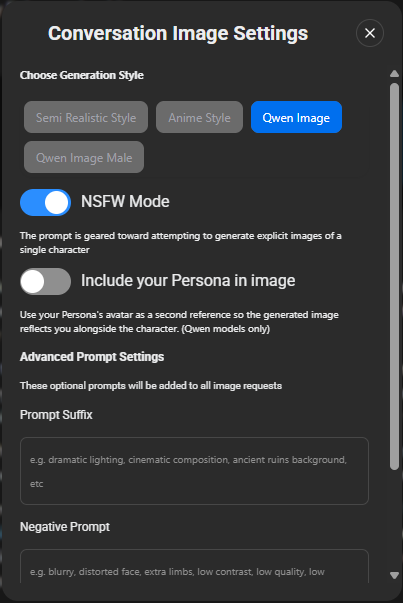
The Qwen models are considerably better at matching a character's avatar, and are available to True Supporter and I'm All In users on both the website and the Android app.
More detail: Conversation Images
Was this article helpful?
That’s Great!
Thank you for your feedback
Sorry! We couldn't be helpful
Thank you for your feedback
Feedback sent
We appreciate your effort and will try to fix the article