SpicyChat has two separate image features, and they work differently:
- Avatar generation — creating an image for a character or persona. Available on all tiers, including free.
- Conversation Images — a character generating a picture of what's happening in a chat. Available on True Supporter and above.
If you're not sure which one your question is about, the avatar generator lives in the character creator; Conversation Images live in the chat window.
Available on all tiers, including free.
When creating or editing a character or persona:
To upload your own image: select Upload and choose your file.
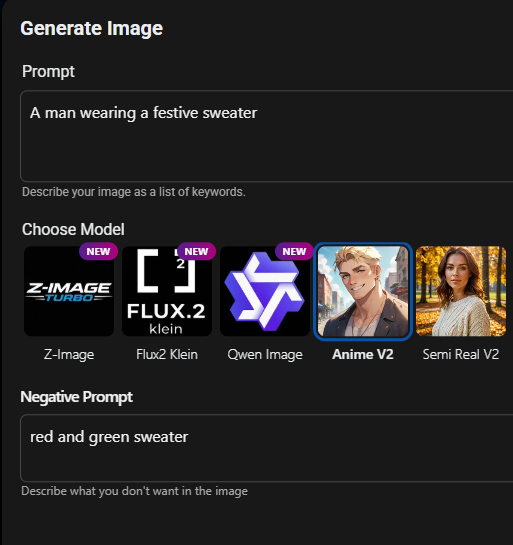
To generate one:
- Use the Prompt field to describe what you want — be as descriptive as possible
- Use the Negative Prompt field for what you don't want
- Optionally upload a reference image for the AI to draw details from
- Select Generate Image
- Regenerate as many times as you like, then Save
Uploaded and generated avatars are both moderated before a character can be published. See section 7.
Reference image requirements: JPG or PNG. If reference-based generation is failing, try a smaller image — under 200 pixels on the longest side has been reliable while we look into a known issue here.
Was this article helpful?
That’s Great!
Thank you for your feedback
Sorry! We couldn't be helpful
Thank you for your feedback
Feedback sent
We appreciate your effort and will try to fix the article