Available on I'm All In. Characters read their replies aloud.
To enable it:
- Open a chat
- Three dots menu
- Select Set Voice or Voice Settings
- Choose a voice
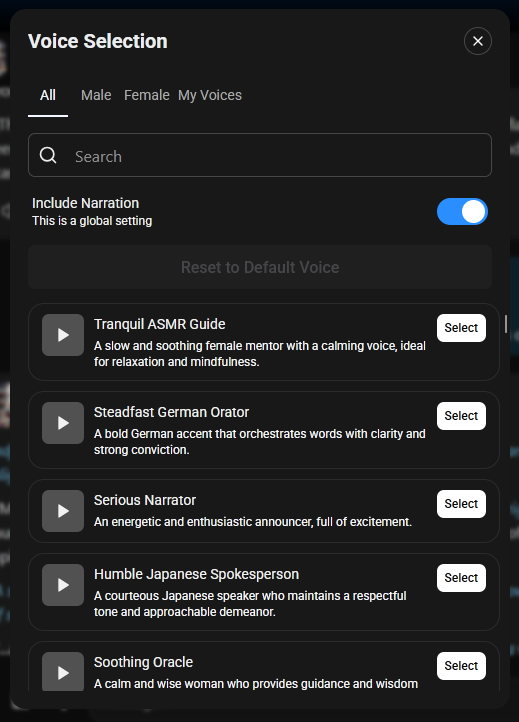
You can also select the Voice button on any character message to open the voice selector.
By default, TTS only reads spoken dialogue. You can enable “Include Narration”, in the same settings to make it read text behind asterisk markdowns.
Voice settings are global — they apply across all your conversations, not per character.
More detail: Text-to-Speech
Was this article helpful?
That’s Great!
Thank you for your feedback
Sorry! We couldn't be helpful
Thank you for your feedback
Feedback sent
We appreciate your effort and will try to fix the article