Almost always your email provider filtering or blocking the sender. Work through these in order.
1. Check spam and junk — including tabs like Promotions or Updates in Gmail.
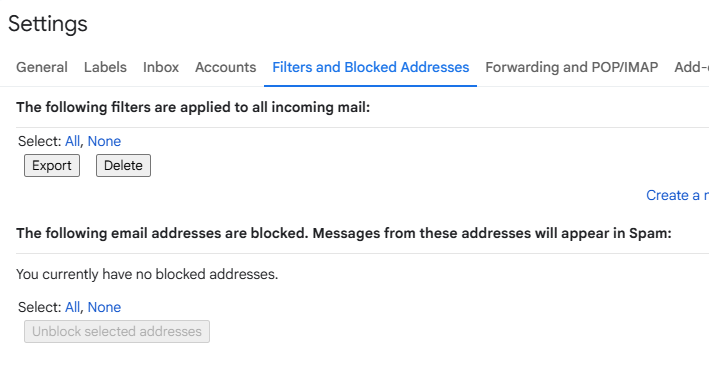
2. Unblock the sender. Our codes are sent from no-reply@kinde.com. Look for previous emails from that address and mark them as not spam, then check your provider’s blocked-senders and filter list:
- Gmail: Settings → Filters and Blocked Addresses
- Outlook: Settings → Mail → Junk email
- Other providers: look for "blocked senders", "filters", or "safe senders"
3. Clear your browser cache and request a new code.
4. Try a linked service instead. If your email is also linked to Google, Apple, X or Discord, sign in that way.
5. Ask your email provider. Some providers — particularly corporate, school and smaller regional ones — block the sender at server level, where you can’t override it. If nothing above works, this is usually why.
If none of that works
We can move your account to a different email address. Reply with an email address you’ve never used on SpicyChat before and we’ll switch it over so you can get straight back in. See article 1.4.
To get this fixed in one reply, tell us:
- The email address on your account
- Whether you sign in by email code or through Google / Apple / X / Discord
- Whether you’re on the website or the Android app
- Whether you’ve checked spam and your blocked-senders list
Was this article helpful?
That’s Great!
Thank you for your feedback
Sorry! We couldn't be helpful
Thank you for your feedback
Feedback sent
We appreciate your effort and will try to fix the article