On the website:
- Visa, Mastercard and Discover — including prepaid cards, with a caveat (see 3.8)
- Pay by Bank — a one-time payment, does not auto-renew
- Cryptocurrency — a one-time payment, does not auto-renew
Regional options. We support a range of local payment methods, and which ones you see depends on your region. All available options are shown on the checkout page, so the simplest way to find out what you can use is to open checkout.
Through Google Play. You can subscribe through our companion app, PixelChat, on Android. As long as you use the same account, the subscription works on both PixelChat and SpicyChat. See article 3.17.
Existing SubscribeStar subscribers can continue renewing there — see article 3.18.
Your bank statement will show NDAI.CC, short for NextDay AI, our parent company. See article 3.16 if you see a charge you don’t recognise.
Discount codes are applied with the Apply Coupon button on the checkout page.
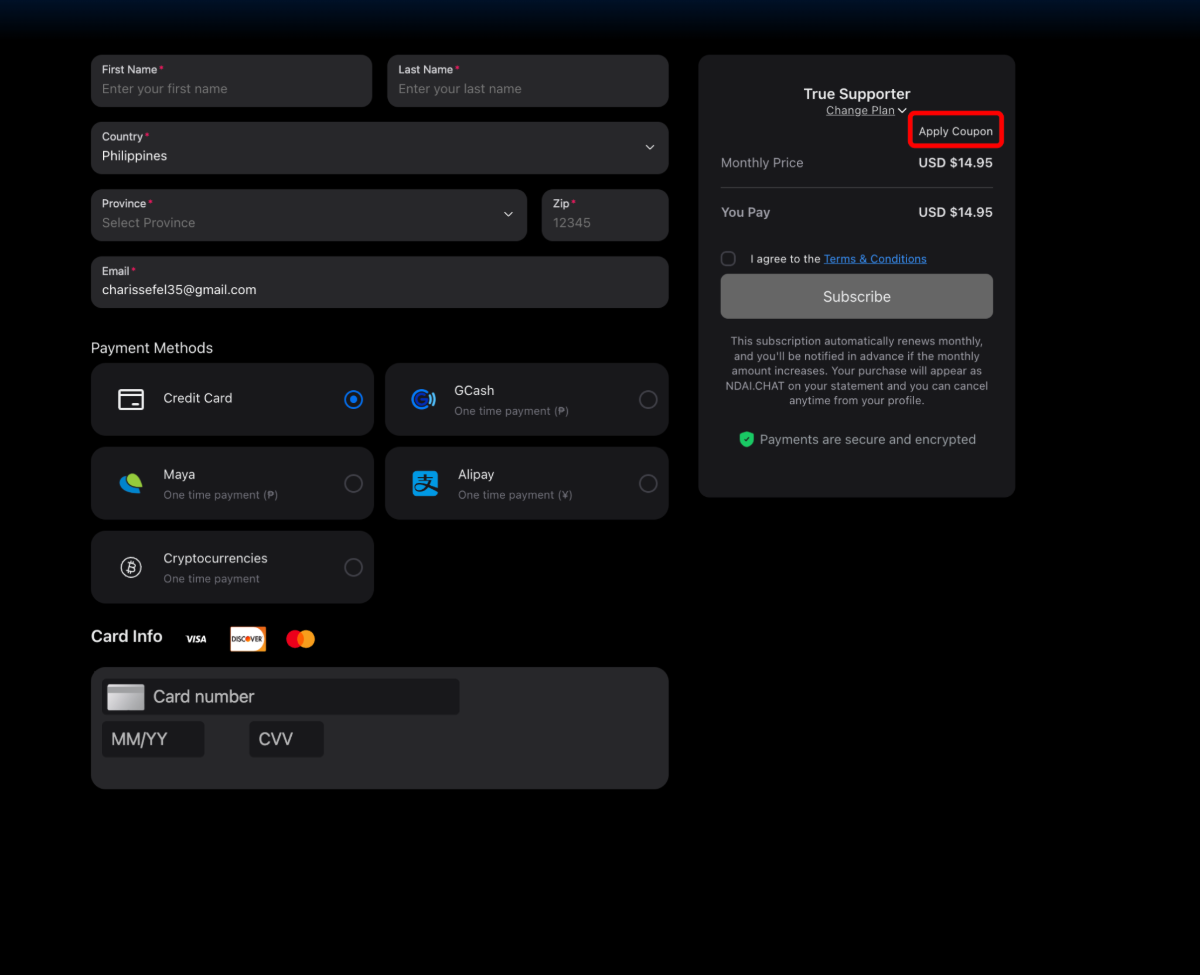
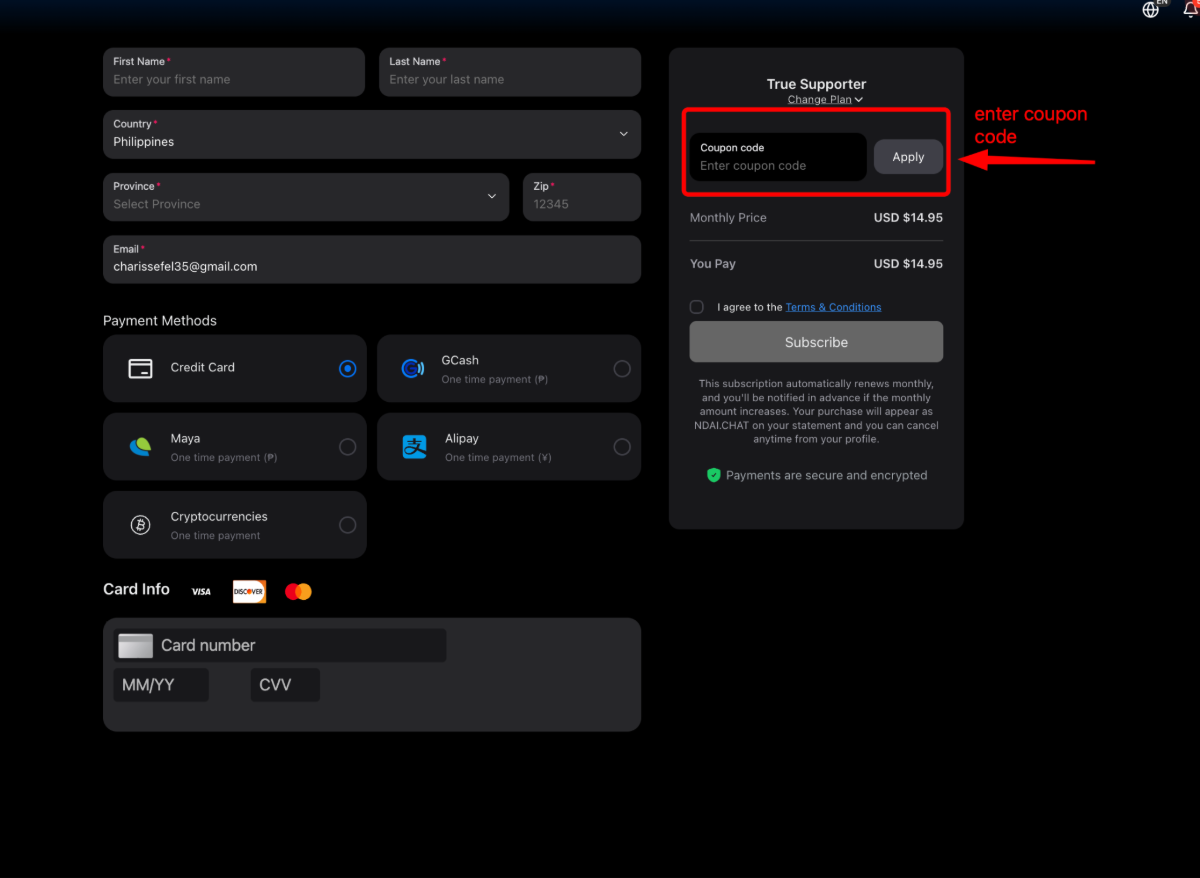
Note: Discount codes and pop-up offers are one-time promotions, and we’re unable to reapply them once they’ve expired. If your subscription has already ended, we’re not able to reverse or reinstate the previous offer.
We recommend keeping an eye on your email for any future promotions from SpicyChat, as that’s where new offers will be shared.
Was this article helpful?
That’s Great!
Thank you for your feedback
Sorry! We couldn't be helpful
Thank you for your feedback
Feedback sent
We appreciate your effort and will try to fix the article