You can try a different provider. If one fails, go back and select another from the list — you're not locked into your first choice.
Video selfie problems
- Lighting matters more than anything else. Face a window in daylight if you can, and avoid backlighting.
- Use a plain background.
- Remove hats, glasses and masks.
- Follow the movement prompts fully — turn your head as far as asked.
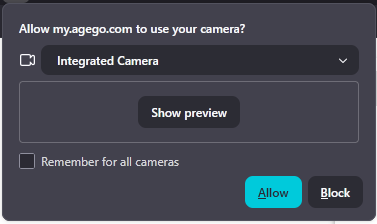
- Allow camera permissions in your browser or device settings.
If you're told you look too young, you'll be offered an alternative such as an ID check. That isn't a rejection.
ID check problems
- All four corners of the document visible, nothing cropped
- No glare across the document — tilt it away from lights
- Sharp focus, all text legible
- The physical document, not a photocopy, screenshot, or photo of a screen
- An unexpired document
The page won't load or gets stuck
- Turn off VPN and proxy
- Allow camera permissions
- Turn off ad blockers and privacy extensions
- Switch to an updated Chrome browser
- Leave Incognito mode
- Try switching between mobile and desktop
If nothing works
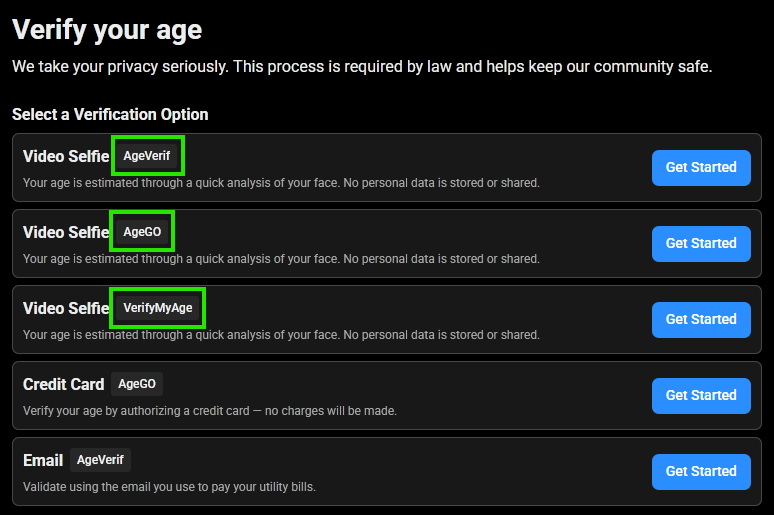
You can contact the verification provider directly. The provider's name is shown on the verification screen — look them up and contact their support, and they can often verify you manually. This is frequently the fastest route when one provider keeps failing for you.
Was this article helpful?
That’s Great!
Thank you for your feedback
Sorry! We couldn't be helpful
Thank you for your feedback
Feedback sent
We appreciate your effort and will try to fix the article