Anything deleted on SpicyChat is deleted permanently. There's no recycle bin or restore.
We cannot recover deleted conversations. This isn't a policy choice — your chats are private and not accessible to our support team, so there's genuinely nothing for us to retrieve.
A conversation still appearing after you deleted it usually means you have multiple saved chats with that character, and you deleted the most recent one only.
To remove all of them:
- Open the conversation
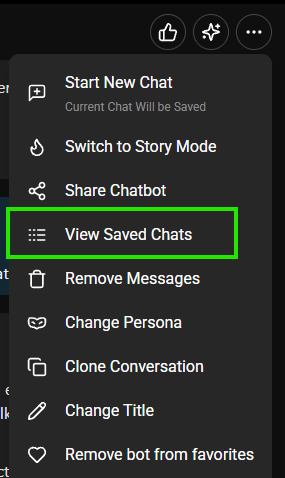
- Chat menu → View saved chats
- Delete each version, then delete the chat entirely
Guest chats — conversations from before you signed up — can't be recovered either. See article 1.8.
Was this article helpful?
That’s Great!
Thank you for your feedback
Sorry! We couldn't be helpful
Thank you for your feedback
Feedback sent
We appreciate your effort and will try to fix the article